Field Automation
Give field operators a reliable local view and control surface
Provide site operators with local status, alarms, trends, controls and diagnostics that continue without central connectivity.
Operational problem
Remote sites must continue acquiring, alarming and executing approved local logic through protocol diversity, brownfield equipment and intermittent central connectivity.
Scadify separates canonical tags, protocol drivers, local HMI, historian, alarms and automation runtime from physical hardware. EnergyPortal, enPowerManager and enCoreEnergy consume governed field evidence and provide higher-level context.
Core capabilities
Task-based local navigation
Configured according to the project’s data, control, approval and operating boundaries.
Quality-aware status and trends
Configured according to the project’s data, control, approval and operating boundaries.
Alarm acknowledgement and history
Configured according to the project’s data, control, approval and operating boundaries.
Role-based control actions
Configured according to the project’s data, control, approval and operating boundaries.
Runtime health, diagnostics and local historian
Configured according to the project’s data, control, approval and operating boundaries.
Products and delivery responsibilities
Assemble the operating stack around the action.
Operational workflow
From operational context to measured action.
- 01Define operator tasks and roles
- 02Bind live data and quality
- 03Present alarm and trend context
- 04Validate an authorized action
- 05Synchronise local evidence centrally
Data sources and integrations
Connect the evidence that explains the decision.
- Meters, sensors, analyzers and actuators
- PLCs, RTUs, BMS and existing SCADA
- Modbus, MQTT and project-qualified telecontrol interfaces
- Local alarms, commands, deployments and audit logs
- Central configuration and operational policies
Governance and resilience
Scadify is intended for non-safety and project-qualified automation unless a separately validated safety architecture exists. Protocol maturity, hardware and certification status follow the release matrix.
Protocol roles, OEM compatibility, data retention, control limits and failure behaviour must be confirmed from the engineering-approved release and project documents.
Outcomes and KPI framework
Measure the operating result, not only the software activity.
Local-first operation and evidence
Use an agreed baseline, operational definition and evidence source before assigning a target.
Reusable device/tag model across field platforms
Use an agreed baseline, operational definition and evidence source before assigning a target.
Controlled protocol and command boundaries
Use an agreed baseline, operational definition and evidence source before assigning a target.
Staged integration and rollback visibility
Use an agreed baseline, operational definition and evidence source before assigning a target.
Solution architecture
Make responsibility visible from field to enterprise.
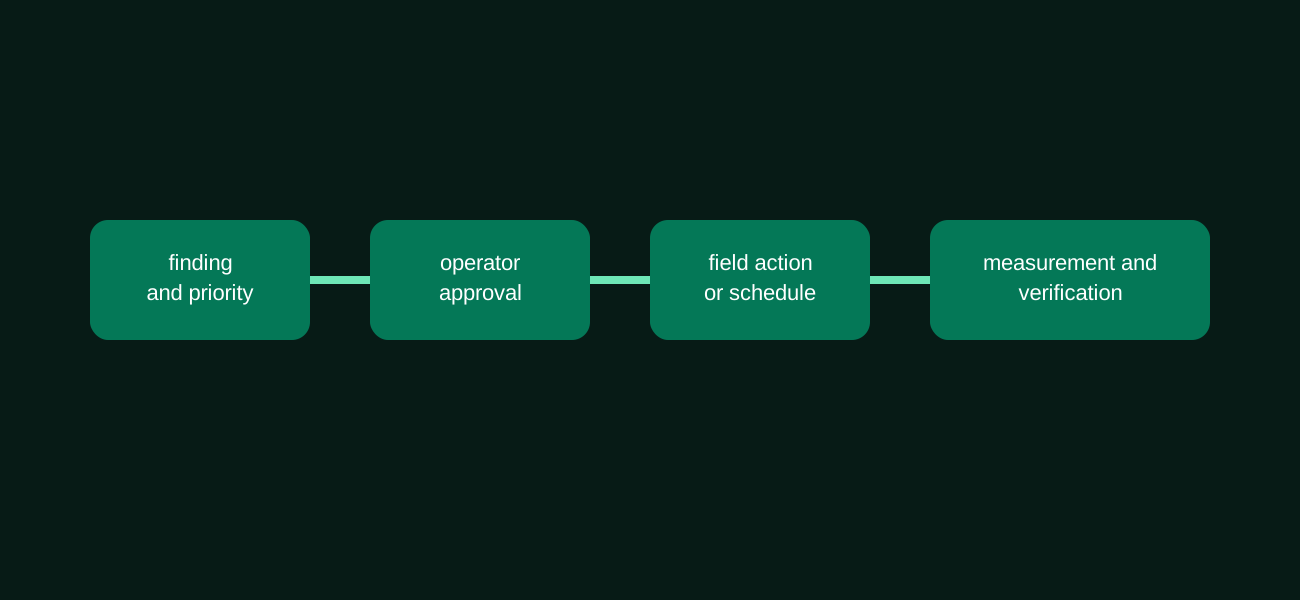
Scadify separates canonical tags, protocol drivers, local HMI, historian, alarms and automation runtime from physical hardware. EnergyPortal, enPowerManager and enCoreEnergy consume governed field evidence and provide higher-level context. The architecture separates observation, recommendation, human-approved action and local execution so that each team can see what it owns.
Engineering and implementation
Move from architecture to accepted operation.
Engineering scope can include I/O and protocol assessment, panel and network design, control logic, HMI, commissioning, migration, FAT/SAT, training and lifecycle support.
Customer applications
Discuss integration, commissioning and operational support for your equipment and sites.
Standards compliance for this capability
Standards compliance for this capability
Enlogy provides full compliance with the standards below across development, integration and system operation and management.
Critical power continuity
IEC 62040 · ISO 8528 · IEC 60947-6-1
Why you need it
Critical sites need visibility into backup power readiness and transfer events before an outage affects service.
What Enlogy provides
Enlogy monitors UPS systems, generating sets and automatic transfer switches together with alarms, maintenance state and continuity reports.
Explore this capability: Critical power continuityFire, smoke and gas system supervision
ISO 7240 · NFPA 72 · NFPA 92 · IEC 60079-29-0
Why you need it
Facility teams need fire, smoke-control and gas-detector events in the wider operational context.
What Enlogy provides
Enlogy brings detection status, faults and alarm events into facility supervision and response workflows while dedicated life-safety systems retain their protective functions.
IEC 62682 and ISA-18.2 alarm management
IEC 62682 · ISA-18.2
Why you need it
Alarm floods hide important events and delay operator response.
What Enlogy provides
Enlogy manages alarm priorities, operating context, acknowledgement and response records with anomaly messages and recurring reviews of nuisance alarms.
Explore this capability: IEC 62682 and ISA-18.2 alarm managementRelated solutions and products
Continue with the next operational question.
FAQ
Questions to resolve before implementation.
Can the local HMI work without internet?
The local-first architecture is designed to preserve essential local views subject to the deployed release and configuration.
Can local and central alarms be acknowledged consistently?
This requires a defined synchronisation and ownership model; it is not assumed automatically.
Can users control equipment from a phone?
Remote control requires explicit authentication, authorization, network design and project approval; it is not a default claim.
Next step