Power Consumption
Compare and manage energy use across multiple sites
Multi-site energy management for retail, branches and campuses: qualified meter data, fair benchmarks, local control and verified operating decisions.
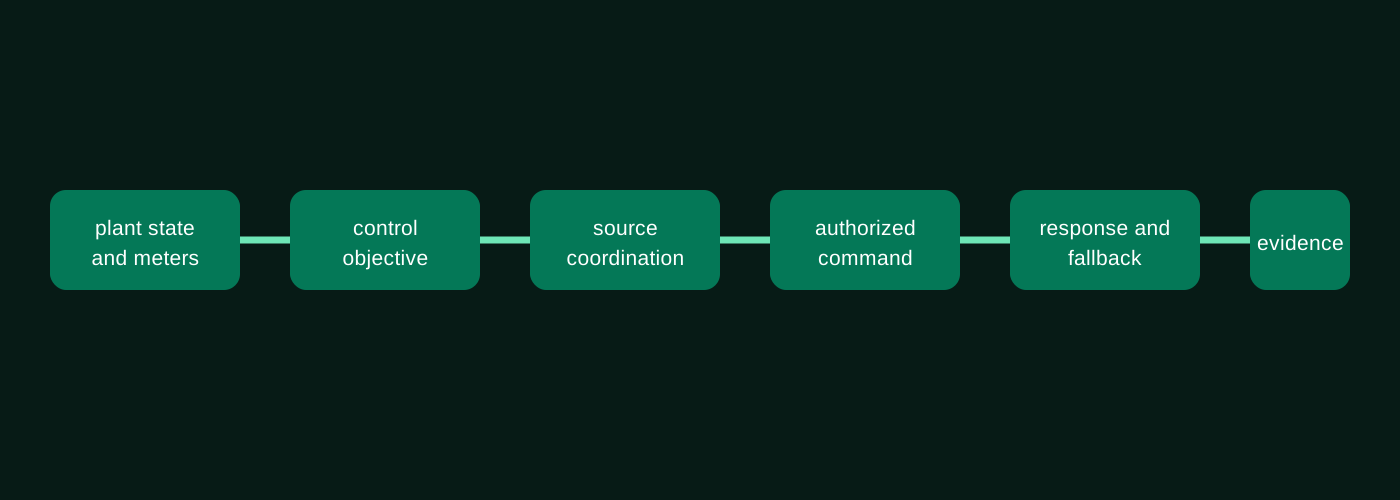
Operational problem
A higher electricity bill does not identify the source of avoidable consumption. Sites differ in area, weather, opening hours, occupancy and equipment. A portfolio comparison must distinguish these conditions from missing readings, tariff changes and operational faults before assigning a saving target or changing a control schedule.
Build a common site, meter and equipment hierarchy, then retain each site's operating context. Compare absolute consumption alongside agreed intensity indicators such as energy per area, operating hour or production unit; none is universally sufficient. Separate estimated and validated readings and flag data gaps before ranking sites. Use enCoreEnergy for the agreed consumption-analysis scope, EnergyPortal for central operational visibility, and Scadify or existing local controls where field execution is qualified. The project defines which decisions remain recommendations, which require approval and which may be executed locally.
Core capabilities
Site and asset hierarchy
Configured according to the project’s data, control, approval and operating boundaries.
Normalised benchmarking and archetypes
Configured according to the project’s data, control, approval and operating boundaries.
Central schedules and policies
Configured according to the project’s data, control, approval and operating boundaries.
Exception and alarm workflows
Configured according to the project’s data, control, approval and operating boundaries.
Portfolio reporting with local context
Configured according to the project’s data, control, approval and operating boundaries.
Products and delivery responsibilities
Assemble the operating stack around the action.
Consumption, multi-utility optimisation, workflows and verification.
View responsibility →ScadifyField acquisition, local automation, protocols and resilient execution.
View responsibility →EnergyPortalCentral visibility, analytics, reporting, workflows and governance.
View responsibility →Operational workflow
From operational context to measured action.
- 01Classify sites and equipment
- 02Collect meters and operational drivers
- 03Benchmark and identify exceptions
- 04Assign or approve local action
- 05Verify portfolio and site outcomes
Data sources and integrations
Connect the evidence that explains the decision.
- Utility meters and submeters
- HVAC, lighting, pumps and equipment state
- Production, shifts, schedules and occupancy
- Weather, temperature and humidity
- Tariffs, invoices and maintenance context
Governance and resilience
Central policy must respect local operating and safety constraints. Define approval rights, override ownership, audit records and recovery after a communications outage. Local control must have an agreed fallback; a dashboard cannot guarantee safe execution in a disconnected branch. Savings are evaluated against an agreed baseline and operating context, rather than inferred from a lower bill or a fleet-wide average.
Protocol roles, OEM compatibility, data retention, control limits and failure behaviour must be confirmed from the engineering-approved release and project documents.
Outcomes and KPI framework
Measure the operating result, not only the software activity.
Normalised energy-performance indicators
Use an agreed baseline, operational definition and evidence source before assigning a target.
Prioritised demand, schedule and equipment opportunities
Use an agreed baseline, operational definition and evidence source before assigning a target.
Human-approved actions with clear ownership
Use an agreed baseline, operational definition and evidence source before assigning a target.
Baseline and reporting-period evidence
Use an agreed baseline, operational definition and evidence source before assigning a target.
Solution architecture
Make responsibility visible from field to enterprise.
Build a common site, meter and equipment hierarchy, then retain each site's operating context. Compare absolute consumption alongside agreed intensity indicators such as energy per area, operating hour or production unit; none is universally sufficient. Separate estimated and validated readings and flag data gaps before ranking sites. Use enCoreEnergy for the agreed consumption-analysis scope, EnergyPortal for central operational visibility, and Scadify or existing local controls where field execution is qualified. The project defines which decisions remain recommendations, which require approval and which may be executed locally. The architecture separates observation, recommendation, human-approved action and local execution so that each team can see what it owns.
Engineering and implementation
Move from architecture to accepted operation.
Start with meter ownership, sampling intervals, time zones, units and the boundaries between purchased energy, onsite generation and exported energy. Verify a pilot group before adding the portfolio. Reconcile interval data against the available settlement or billing records and document expected differences. For an operational change, record the baseline period, affected equipment, approved schedule, local fallback and the method used to evaluate the result. Expand only after data quality and responsibilities are understood; adding more sites to an inconsistent model multiplies uncertainty rather than improving the benchmark.
Customer applications
Discuss integration, commissioning and operational support for your equipment and sites.
Standards compliance for this capability
Standards compliance for this capability
Enlogy provides full compliance with the standards below across development, integration and system operation and management.
Consistent asset structures and measurement units
IEC 62832 · IEC 81346 · ISO 80000 · BIPM SI Brochure · UCUM · UN/CEFACT Recommendation 20
Why you need it
Cross-site comparisons fail when equipment names, quantities and units mean different things.
What Enlogy provides
Enlogy uses structured asset hierarchies, reference designations and consistent quantity and unit models across measurements, calculations, APIs and reports.
Metering, GIS and BIM integration
DLMS/COSEM · M-Bus / OMS · OGC API · GeoJSON · CRS/EPSG · IFC
Why you need it
Operators need meter data linked to the right site, building, network and physical asset.
What Enlogy provides
Enlogy connects metering and AMI data with spatial APIs, geographic coordinates and building information models for location-aware monitoring and reporting.
Related solutions and products
Continue with the next operational question.
FAQ
Questions to resolve before implementation.
What is multi-site energy management?
It combines consistent meter and asset data across locations with site-specific operating context, so teams can compare consumption, investigate exceptions and govern approved actions. It requires data quality and local ownership as well as a central dashboard.
Is kWh per square metre enough to compare branches?
It is a useful intensity indicator, not a complete explanation. Opening hours, weather, occupancy, refrigeration and production can materially change demand. Compare similar operating groups and retain the assumptions behind any normalisation model.
Does a lower bill prove an energy saving?
No. Tariffs, billing days, output and weather may have changed. Evaluate energy and cost separately using a baseline, an agreed reporting boundary and the operating adjustments needed for a fair comparison.
Can every site follow the same schedule?
A shared policy needs site-level constraints and exception handling. Occupied hours, critical loads, contractual limits and maintenance states can require different approved schedules even within one portfolio.
What should happen when a branch loses connectivity?
The approved local controller or existing system follows its defined fallback. Store-and-forward, command expiry, data-gap marking and recovery behaviour must be specified and tested for the actual deployment.
Next step